Amazon Sponsored Ads
Amazon Sponsored Advertising Software for Sellers
Integrate and de-silo seller central signals (such as Inventory, Pricing, Buy box) with Advertising.

trusted by
2,000+ brands and agencies in 18+ countries run their Amazon advertising on Atom11.





Impact on real accounts
Volume, efficiency and time savings across thousands of Amazon PPC accounts
Improvement in ACoS
+43%
Hours/ week saved
280+
tasks automated
65%
AI adopted teams
70%
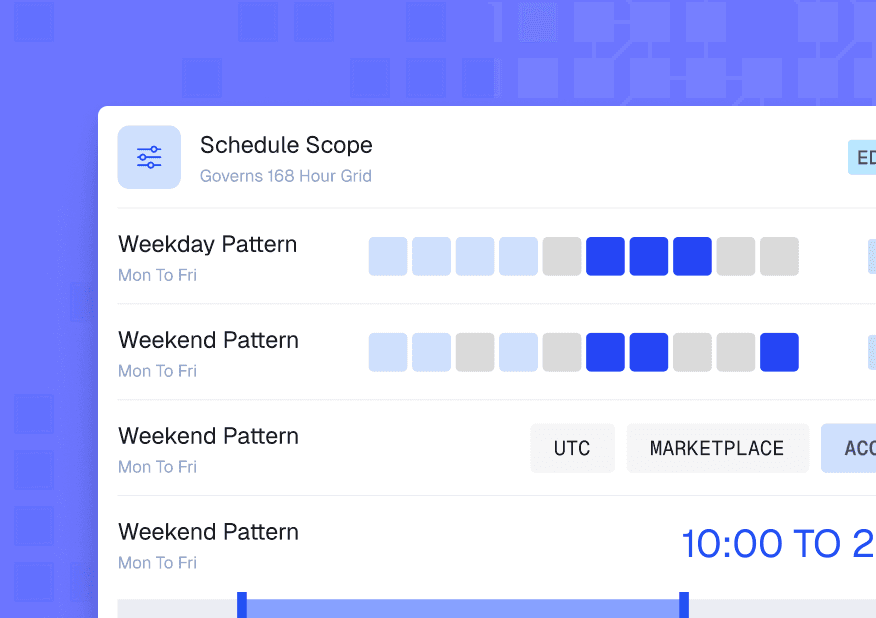
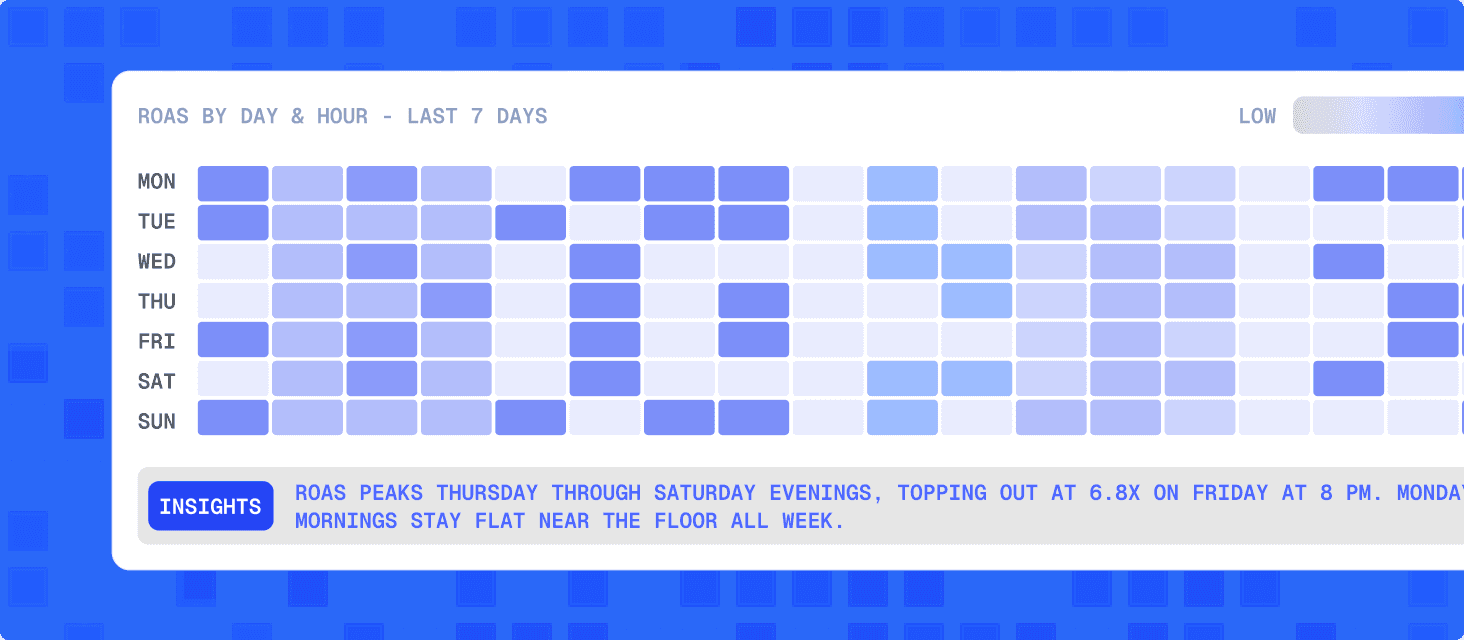
Hourly Dayparting
Analyse and implement hourly dayparting basis Amazon Marketing Stream data. Reduce budgets during low performing hours while increase sales by increasing bids during peak hours

Hour level scheduling across the week.
Set up different rules for different days of the week, customize dayparting at the minutest level.
Glass box Automations you can audit
Audit your automation performance with Performance Monitor. Every keyword has a record of pre- and post- automation performance.


All your Amazon data, in one place


Brands and agencies that broke the Amazon silos with Atom11



Rated for better performance, better support and better pricing.


Atom11 solves the challenge of knowing whether my automation strategy is actually working and helping me achieve better business results. We use an elaborate dayparting strategy, being aggressive on low-performing campaigns and taking a different approach with stronger-performing campaigns. Atom11 gives me the ability to evaluate how these dayparting strategies are performing over time, so I can understand what is working, identify what needs improvement, and continuously refine the approach. Instead of simply automating bids and budgets, it gives me visibility into the actual impact of my automation strategy, which makes it much easier to make informed decisions and improve overall advertising performance.
Ishan Sukul
CEO Kreo


Frequently asked questions.
How to do sponsored ads?
To run sponsored ads, you choose a platform (e.g., Amazon), set up an advertiser account, select your campaign objective and targeting (keywords, audiences, or products), create your ad creative, set bids and budget, and then launch and monitor performance.
What is the difference between paid ads and sponsored ads?
"Paid ads" is an umbrella term for any ad placement you pay for, whereas "sponsored ads" usually refers to a specific format where an advertiser sponsors content that appears natively (blended with organic content) and is often labeled as "Sponsored" to distinguish it from unpaid listings.
What are Amazon sponsored ads?
Amazon Sponsored Ads are cost-per-click (CPC) ad placements on Amazon's site, such as Sponsored Products, Sponsored Brands, and Sponsored Display, that promote individual products or brands by appearing in search results and on product detail pages.
Are sponsored ads free?
No. Sponsored ads require payment on a CPC (cost-per-click) basis, meaning you pay each time someone clicks your ad. The sponsored ad cost is recovered automatically from the seller's Seller Central account.
How much do sponsored ads cost on Amazon?
Amazon's Sponsored Ads run on an auction-based, cost-per-click model, and in 2025 the average CPC is roughly $1.00, with typical rates ranging from about $0.80 to $1.20 per click depending on product category and competition. Advertisers set their own bids and daily or campaign budgets, so while you might pay just $0.80 on a low-competition keyword, highly contested terms can push your CPC toward the upper end of that range.
Which Amazon ad types does Atom11 support?
Atom11's Amazon sponsored ads software supports Sponsored Products, Sponsored Brands, Sponsored Display, Demand Side Platform (DSP), and Amazon Marketing Cloud (AMC), covering all core Amazon ad formats from one dashboard.
How is Atom11 different from other amazon sponsored ads tools?
Unlike standard Amazon Sponsored Ads tools, Atom11 is retail-aware — automation rules factor in Inventory, Buy Box status, and pricing changes alongside ad metrics.