Blog
/
Amazon MCP: How Model Context Protocol Connects AI Agents to Amazon Advertising
Amazon MCP: How Model Context Protocol Connects AI Agents to Amazon Advertising
Neha Bhuchar
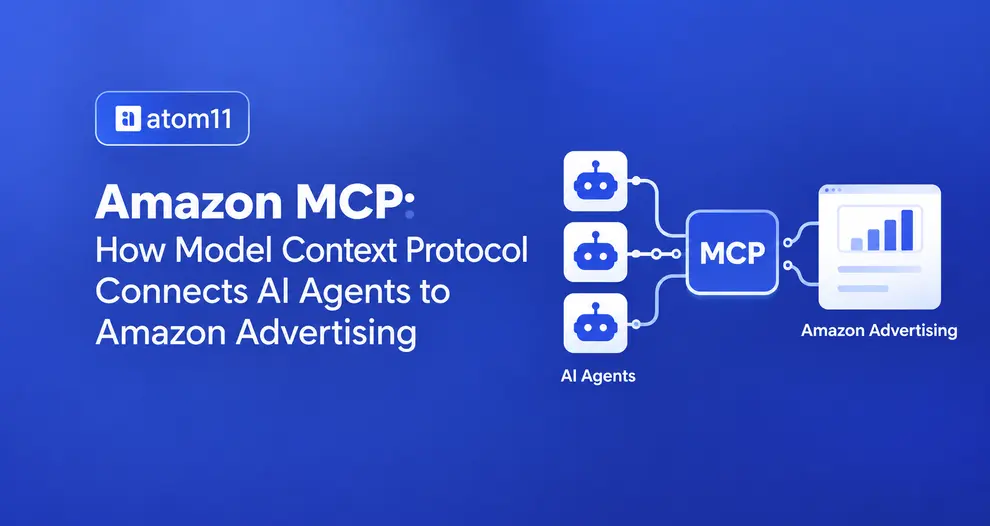
Your Amazon Ads data is about to become much easier for AI to work with.
If you’ve recently seen “MCP support” mentioned in Seller Central or by an Amazon software provider, you’re not alone if the term feels unclear. Amazon MCP is a way for AI applications to connect with Amazon Ads data and tools, rather than relying only on information you manually provide.
Amazon’s MCP Server provides a structured connection between supported AI clients and Amazon Ads capabilities. This is different from the Amazon Ads API, which provides direct programmatic access to Amazon advertising services.
In this guide, we’ll explain how Amazon MCP works, what it can do for PPC management, where its limitations are, and how platforms such as Atom11 can fit into AI-powered Amazon advertising workflows.
Quick Answer:
Amazon MCP (Model Context Protocol) is the connection standard that lets AI tools like Claude, ChatGPT, and Gemini read and act on your live Amazon Ads account through plain-language prompts instead of manual exports. Amazon's own Ads MCP Server went live in open beta on February 2, 2026. Platforms like Atom11 add an MCP connector on top of that, layering in retail data, inventory, Buy Box, and pricing, so an AI agent can explain why a metric moved, not just report that it did. Read access is instant; any write action (bids, budgets, campaign changes) should always go through human approval first.
How Amazon's Official Ads MCP Server Works
Amazon made this official on February 2, 2026, when Paula Despins, Amazon Ads' VP of Ads Measurement, announced the Amazon Ads MCP Server open beta at the IAB Annual Leadership Meeting.
In Amazon's own description, the server is a translation layer that turns natural-language prompts into structured API calls, so advertisers can connect Claude, ChatGPT, or Gemini through a single integration instead of building a one-off connection for each tool.
Once connected, an agent can use the server to:
Create, update, or delete campaigns
Run performance and reporting queries
Manage account-level settings
Access billing and financial data
The server also bundles multi-step workflows, like launching a full Sponsored Products campaign or expanding an existing campaign into a new country, into a single prompt, instead of the several manual steps each of those tasks used to require.
It's also worth knowing the operational limits before you build a workflow around it. The current version of Amazon's MCP Server supports asynchronous reporting only, meaning response times generally fall between 10 and 30 minutes per query, and advertising data is retained for 60 to 95 days depending on the ad format.
Who Can Access It Today
As of this open beta, the Amazon Ads MCP Server is available globally to Amazon Ads partners with active API credentials. If your account doesn't already have Ads API access, that's the first prerequisite before any MCP connection makes sense.
Amazon MCP vs. Amazon Ads API: What's the Difference?
This is the question that trips up the most sellers, because both terms involve "connecting" your account to something external.
Amazon Ads API | Amazon Ads MCP Server | |
|---|---|---|
What it is | A technical interface for direct, programmatic access to Amazon Ads data and actions | A translation layer that lets AI agents use the API through natural language |
Who uses it directly? | Developers, engineering teams | Any AI assistant an advertiser already uses |
How you interact with it | Structured requests, authentication tokens, endpoint documentation | Plain-language prompts like "show me campaigns with high ACOS and low sales" |
What it needs | Coding knowledge and ongoing maintenance | An MCP-compatible AI client and account authorization |
What it replaces | Nothing, it's the foundation | Manual exports, copy-pasted reports, one-off integrations |
MCP doesn't replace the API, it sits on top of it. The API is still the engine doing the work; MCP is what makes that engine usable through a conversation instead of code.
What an Amazon MCP Can (and Can't) Do for Your PPC
What it's good at:
Pulling campaign, keyword, and search-term performance without a manual export
Answering account questions in one turn instead of several report downloads
Bundling routine multi-step tasks (new campaign, country expansion) into one request
Where it needs a human in the loop:
Any action that spends real money- a bid change, a budget increase, a paused campaign, is a "write" action. A responsible MCP workflow treats writes differently from reads: the agent proposes a change, shows the before-and-after values, and waits for approval before anything touches the live account. This matters because a batch of changes can partially fail (some keywords update, others don't), and without an audit trail, it's genuinely hard to reconstruct what happened and why.
What it doesn't do:
MCP gives Claude access to connected Amazon data and approved actions, but it doesn’t replace human PPC judgment. There are a few important limitations to keep in mind:
It doesn’t replace basic trend analysis. MCP can answer prompted questions and retrieve data, but a dashboard still gives you a quick visual overview of trends and patterns that may not be obvious from individual queries.
It can’t analyse data it cannot access. Claude’s analysis is limited to the data available through the MCP connection. If important information, such as margins, inventory context, pricing changes, or other business data, is missing, Claude may interpret the available data as the complete picture and produce an incomplete or incorrect conclusion. Human review is therefore still important for validating both the data and the analysis.
Scheduled automations need human oversight. If you rely on Claude for recurring or scheduled workflows, missed triggers or failed executions can disrupt reporting and other time-sensitive processes. For critical Amazon PPC monitoring or actions, scheduled automations should not be treated as a substitute for reliable monitoring and human oversight.
The bottom line: MCP connects the data and enables AI-assisted analysis and actions; it does not automatically provide the full business context needed to make every PPC decision.
Examples: How Could an Amazon PPC MCP Help in Everyday Life?
Put in plain terms, here's what it looks like day-to-day:
Monday morning check-in: Instead of opening five reports, you ask "what changed in my account over the weekend?" and get a summary of spend, sales, and any campaigns that ran out of budget.
Search term cleanup: You ask which search terms spent money with zero sales in the last 30 days, and get a ready-to-review negative keyword list instead of scrolling a spreadsheet.
Restock-aware pausing: Paired with inventory data, an agent can flag "Product X is 5 days from stockout, pause or lower its ad spend?" before you overspend on something you can't fulfill.
New launch setup: "Create a Sponsored Products campaign for this ASIN with a $30 daily budget" turns a 10-minute manual setup into one reviewed prompt.
Weekly reporting: Instead of building a deck by hand, you ask for a plain-English summary of the week's top movers to share with a client or manager.
In each case, the AI handles the retrieval and drafting, you still approve what actually spends money.
Amazon MCP provides the connection to Amazon Ads, but the real value comes from how sellers and vendors use that connection in their day-to-day PPC workflows.
Atom11 adds the PPC workflow where sellers and vendors can use that connection to manage and analyze their advertising.
Where Atom11 Fits Into an Amazon MCP Workflow
Here's a distinction worth being clear about: Amazon's official MCP Server gives an AI agent access to raw Ads API data, campaigns, keywords, reports, billing. What it doesn't do on its own is tell you why a number moved, because Amazon's ad data lives separately from your inventory, pricing, and Buy Box status.
That's the gap Atom11's own MCP connector is built to close. Atom11 already unifies Amazon advertising data with retail signals, inventory levels, Buy Box ownership, pricing, and PPC cannibalization, inside one dashboard.
The Atom11 MCP integration platform lets you bring that same combined view into Claude as a custom connector: once it's authorized, you can ask something like "show all my brands in Atom11" and get an answer built on ads-plus-retail context, not ads data in isolation.
The Comparison: Amazon Ads MCP vs. Atom11
Both connect an AI agent to your account, but they hand over very different starting points. Amazon's MCP Server is the raw connection to Ads API functionality, powerful, but limited to what the ad account itself knows. Atom11's MCP connector sits on a dataset that already blends ads with the rest of the retail picture, so the AI agent isn't just retrieving numbers, it's retrieving context.
Amazon Ads MCP | Atom11 MCP | |
|---|---|---|
What it connects to | Raw Amazon Ads API data and actions | Ads data unified with inventory, pricing, Buy Box, and account rules |
Decision context | None, returns metrics as requested | Historical performance, margin/goal logic, retail signals |
"Why" behind a number | Not included; you interpret it yourself | Explained; e.g., why ACOS moved, not just that it did |
Approval workflow | Depends on the connecting client | Built-in guardrails, previews, and rollback via version control |
Best suited for | Direct, ad-hoc API-style queries | Ongoing PPC decisions tied to inventory and business goals |
Example: Ask "why did ACOS jump this week?" through Amazon's MCP Server alone, and you'll get the raw numbers, spend, clicks, ACOS by campaign, nothing more. You're left to cross-reference that against inventory or pricing yourself.
Ask the same question through Atom11's MCP connector, and the answer can account for a stockout that shifted traffic to a competitor's listing, or a price change that moved conversion rate, alongside the ad metrics themselves.
Same question, two very different depths of answer, not because one connection is "better" in a technical sense, but because one has retail context to draw from and the other only has ad data. For a quick metric pull, that difference may not matter. For an actual PPC decision, it usually does.
Talk to our Atom11 team or book a demo to explore your campaigns and see how Atom11 can fit your workflow.

FAQs
What is an Amazon MCP server in simple terms?
It's a connection standard that lets an AI assistant read your Amazon Ads data and, where authorized, make changes to it, without you manually exporting reports or copy-pasting numbers into a chat.
Is Amazon Ads MCP the same as the Amazon Ads API?
No. The API is the technical foundation that does the actual work. MCP is the translation layer that lets an AI agent use that API through natural-language prompts instead of code.
Do I need to know how to code to use an Amazon MCP server?
No, as long as you're using a managed MCP connector. Setup is generally point-and-click, you authorize the connection once, then ask questions in plain English from there on.
Does Amazon's MCP Server work with both Claude and ChatGPT?
Yes. Amazon built it to connect with multiple AI platforms, including Claude, ChatGPT, and Gemini, through the same open MCP standard.
Can an AI agent change my bids or budgets automatically through MCP?
It can, if write access is enabled, but a responsible setup requires a preview of the proposed change and a human approval step before anything is applied to a live account.
