Blog
/
Amazon Sponsored Display Ads Automation: What to Automate, What to Control
Amazon Sponsored Display Ads Automation: What to Automate, What to Control
Deepika Thakur
Key Takeaways
Sponsored Display has no keyword targeting, so automation here means audiences, products, bids, budgets and creative, not search terms.
Amazon now automates conversion-optimised targeting, and its Ads Agent and DVA+ push toward even more platform-run buying.
Native automation is hard to audit. Teams still need their own rules, guardrails and rollback options.
Reach and Page Visit campaigns now optimise toward conversion opportunities, so judge them on sales, not impressions alone.
Atom11 lets teams run bid, budget, dayparting, inventory-aware and bulk-action automation from one dashboard, with version control and a performance monitor.
Amazon Sponsored Display automation can handle parts of campaign setup, targeting, bidding, and optimisation, but it does not eliminate the need for strategic control. The right approach is to automate repetitive execution while keeping decisions around budgets, audiences, retail conditions, and performance with the advertiser. This guide explains what Amazon automates in Sponsored Display, where those native capabilities fall short, and how Atom11 adds retail-aware automation, monitoring, and controls to make campaign management more efficient.
What Is Amazon Sponsored Display Ads Automation?
Amazon Sponsored Display ads automation means using software rules, machine learning or APIs to manage Sponsored Display campaigns with less manual work. That includes setting bids, shifting budgets, choosing audiences and pausing ads.
Sponsored Display is a self-serve display solution that reaches shoppers on Amazon and on third-party sites and apps. It works differently from search ads, which changes what "automation" means.
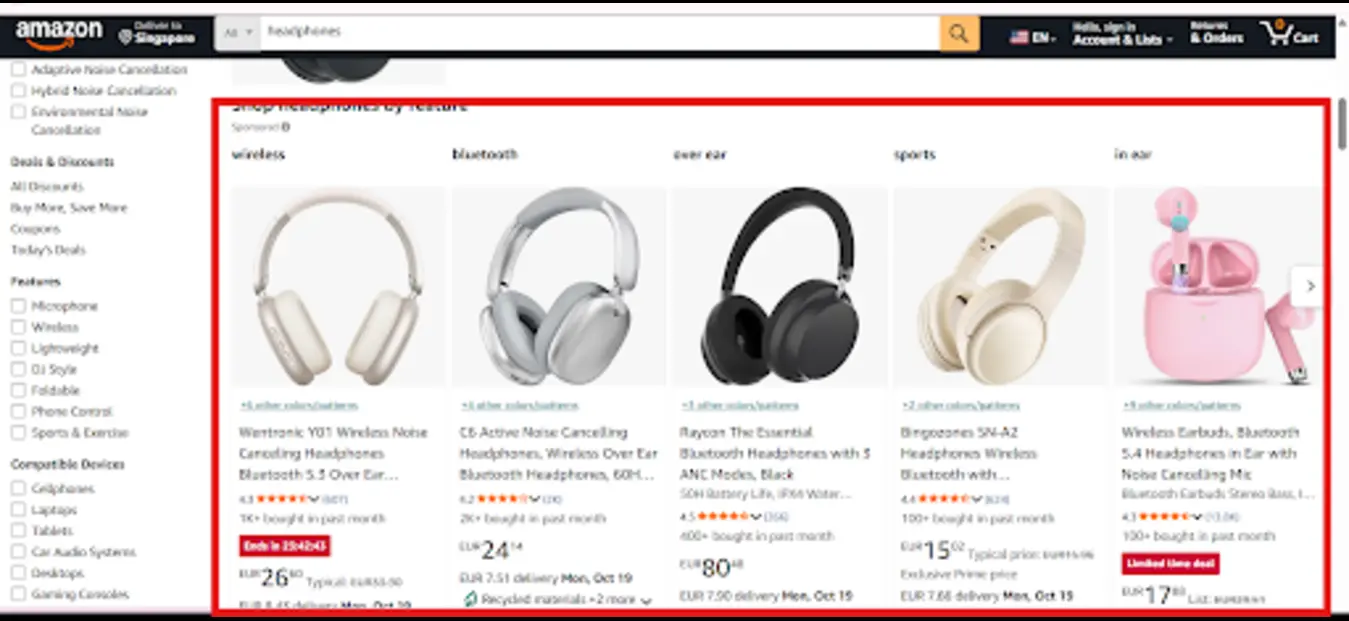
Source: Amazon.com, screenshot by the Atom11 team, October 2026.
How Sponsored Display Differs from Sponsored Products
Feature | Sponsored Products | Sponsored Display |
Main targeting | Keywords, products, automatic targeting | Products, categories, audiences |
Search-term report | Yes | No keyword searches |
Placement | Search results, product pages | Amazon pages plus off-Amazon sites and apps |
Best role | High-intent capture | Re-engagement and reach |
Sponsored Display does not appear based on keyword searches. So you cannot harvest search terms the way you do in Amazon Sponsored Products. Your automation levers are bids, budgets, audiences, product targets and creative.
What Amazon Automates Natively
Amazon has added several automation layers to Sponsored Display.
Optimized targeting. When you choose Conversions as the optimization strategy, Sponsored Display enables dynamically optimized targeting. You can add manual targeting alongside it, such as remarketing or contextual targeting.
Conversion-focused Reach and Page Visit. Amazon moved existing Reach and Page Visit campaigns to the same conversion optimization objective.
AI-led planning. Amazon Ads Agent and DVA+ are folding display into a unified buying experience. According to ContentGrip's report on the launch (add the exact article URL before publishing), DVA+ consolidates Sponsored Display, Sponsored TV and programmatic buying. In simplified mode you choose an objective, budget and creative, and Amazon manages targeting.
Creative generation. The system can create display assets from product detail pages, subject to your approval before launch.
API automation. Developers can manage campaigns through the Amazon Ads API for Sponsored Display.
Where Native Automation Falls Short
Native tools save time, but experienced PPC teams tend to hit the same three gaps.
Limited explanation. In automated full-funnel setups, advertisers approve creative but cannot choose individual channels or audiences, and reporting is at the format level. You see the outcome without the reason.
No retail context. Amazon's ad automation does not weigh your stock levels or Buy Box status the way your own rules can. Display spend on a product that is about to sell out is wasted.
No easy rollback. If an automated change hurts performance, there is no built-in "restore last week's bids and budgets" button.
Control and visibility matter most when spend is rising, so filling these gaps is where outside automation earns its place.
7 Sponsored Display Automations Worth Setting Up
Automation | What it does | Why it matters |
Bid rules by performance | Raises or lowers bids by ACoS, CPA or ROAS | Stops overspend on weak targets |
Budget rules | Increases budget for campaigns hitting their cap profitably | Captures demand you would otherwise miss |
Dayparting | Changes bids or budgets by hour or weekday | Matches spend to when shoppers convert |
Inventory-aware pausing | Pauses ads for low-stock ASINs | Prevents paying for clicks you cannot fulfil |
Event versioning | Saves bids and budgets before Prime Day or BFCM | Lets you roll back after the event |
Audience bulk edits | Adds or removes audiences across campaigns at once | Keeps large accounts consistent |
Automation monitoring | Compares before and after results | Proves a rule helped, not just ran |
How Atom11 Supports Sponsored Display Automation
Atom11 is a retail-aware Amazon PPC platform. It connects advertising data with inventory, pricing, organic rank and Buy Box signals, so automation decisions reflect what is happening in the business, not just in the ad account. It holds a 4.8/5 rating on G2 and has won 3 Amazon Ads Partner Awards, according to its own materials.
Here is how it works in practice.
Campaign Creation with Atom11
You asked for a clear explanation of campaign creation, so here is what the demo covers.
One agency view. Every onboarded account or sub-brand shows in one place, with exportable data and date-range controls. Agencies and multi-brand sellers can scan performance without switching accounts.
Bulk campaign creation. Instead of building campaigns one by one, you can create them in bulk, add keywords in bulk and add negatives in bulk. The same bulk approach covers audiences: you can create audiences for several campaigns at once, remove them, or adjust their bid adjustments.
Auto-to-manual harvesting. For Sponsored Products, Atom11's harvesting automation moves search terms that perform well from auto campaigns into manual ones. That is the main way to scale winners on the search side.
Max CPC guidance. The keywords tab shows the maximum CPC you need to hit to keep your target cost, which helps set sensible starting bids.
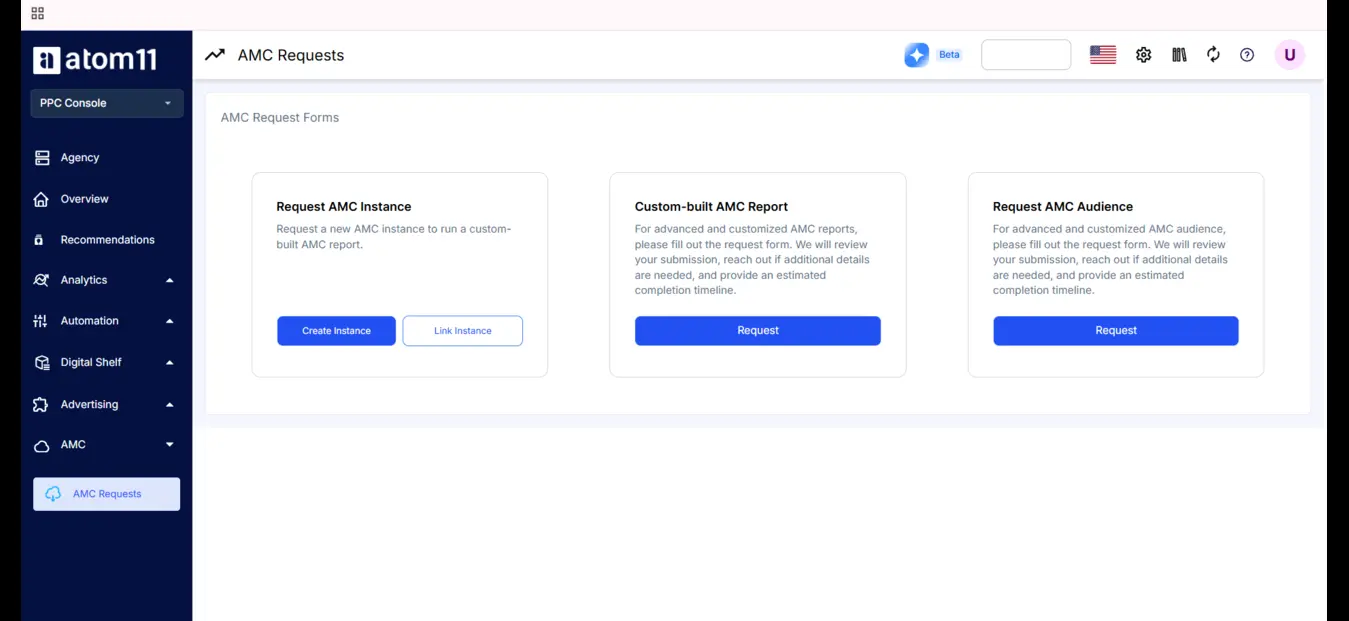
Amazon Marketing Cloud. You can build reports with drag-and-drop filters or canned reports, and create AMC audiences to feed better audience targeting into campaigns.
Control and Visibility from One Dashboard
Two automation families. Time-based automation (dayparting for bids and budgets, with conflict-handling controls if you edit during a schedule) and performance-based automation (bid optimizer, budget rules, inventory optimizer, portfolio budget optimizer, placement optimizer).
Inventory optimizer. It pauses advertised ASINs to avoid out-of-stock situations. Atom11 describes this as a capability other tools lack.
Version control. Save bids and budgets before Prime Day, then roll back to that version afterwards.
Performance monitor. It shows whether each automation helped or hurt, so you can judge a rule on results.
Root Cause Analyzer and Compare mode. Compare two periods at ASIN level. The analyzer highlights which metrics changed and which did not, for example showing that a sales drop came from lower ad spend and fewer page views, not average order value.
Neo, the AI analyst. Ask in plain language why sales fell for a parent ASIN, or which products are ineligible.
Connect with Claude. You can query Atom11 data from Claude. Write access, meaning bid and budget changes from inside Claude
Manual vs Rule-Based vs AI Black-Box vs Atom11
Manual | AI black-box | Rule-based | Atom11 | |
Control | Full | Limited transparency | High | High, with context |
Retail data used | None | None | None | Inventory, pricing, rank, Buy Box |
Scalability | Low | High | High | High |
Speed | Slow | Fast | Medium | Fast and adaptive |
KPIs to Track
KPI | Why |
ACoS and TACoS | Ad efficiency against total business sales |
CPA / ROAS | Cost to win a customer |
vCPM and CTR | Awareness-stage health |
New-to-brand share | Whether display brings new buyers |
Page views and conversion rate | Whether traffic turns into sales |
Sponsored Display usually reaches shoppers earlier in the buying journey, so conversion rates can run lower than Sponsored Products, especially with cold audiences. Compare it with its own history, not against search campaigns.
Common Mistakes
Judging display by search-style ACoS alone
Letting automation run with no bid ceiling
Ignoring stock levels
Changing many settings at once so no result can be explained
Skipping a saved version before a big sales event
Conclusion
Sponsored Display automation works best as a partnership. Amazon's tools handle targeting and creative mechanics. Your own rules decide budgets, bid limits and stock-aware pauses, and a monitor tells you whether any of it worked. Start small, save versions, review weekly, and scale what you can explain. If you want to see how this looks inside one dashboard, book a demo today, and the Atom11 team can walk you through it with your own account in mind.
FAQs
Can you automate Amazon Sponsored Display ads?
Yes. You can use Amazon's built-in optimization, rule-based tools, third-party platforms like Atom11, or the Amazon Ads API.
Does Sponsored Display have automatic targeting?
Not in the Sponsored Products sense. It offers optimized targeting for conversion campaigns and manual options such as remarketing and contextual.
Can I use keywords in Sponsored Display?
No. Targeting is based on products, categories and audiences.
Is Sponsored Display worth it?
It is useful for re-engagement and reach, usually alongside Sponsored Products.
How does Atom11 help?
It combines bulk actions, performance and time-based automation, inventory-aware rules, version control and monitoring in one dashboard.
