Blog
/
How to Connect Amazon Ads to Microsoft Copilot with MCP
How to Connect Amazon Ads to Microsoft Copilot with MCP
Nivesh J.
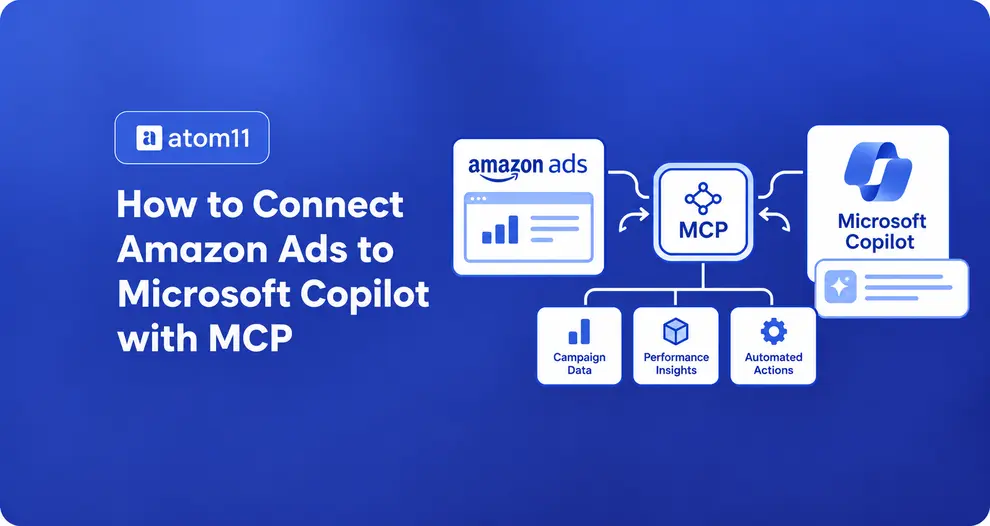
Quick answer: You connect Amazon Ads to Microsoft Copilot by adding an MCP server that exposes your Amazon Ads data as a tool to a Copilot agent. For most teams the route is Copilot Studio: open your agent, go to Tools, add a Model Context Protocol server, enter its URL, choose how it signs in, and test. The part that trips people up is not the clicks. It is picking the right Copilot, having an MCP server that Copilot Studio can talk to (Streamable HTTP, with a supported sign in method), and getting your admin to allow it. For the Amazon Ads side, the simplest route for most advertisers is a platform that already holds the Amazon Ads access and exposes it over MCP, such as the Atom11 MCP, so you do not need your own API credentials.
Key Takeaways
“Microsoft Copilot” is several products. Copilot Studio and Microsoft 365 Copilot agents can use custom MCP servers. GitHub Copilot in VS Code is a separate developer tool. We could not find a documented way to add a custom MCP server to the consumer Copilot app.
Copilot needs an agent, not just a connector. Unlike a chat assistant where you paste in a connector, Copilot Studio asks you to build an agent first and attach the MCP server to it.
The server must fit Copilot’s rules. Copilot Studio supports Streamable HTTP only, not SSE, and it offers four sign in choices: none, API key and OAuth 2.0 in three flavors.
Your agent’s description decides when the tool is called. Copilot Studio’s orchestrator reads the server description to decide whether to use it, so a vague description means a tool that never runs.
Start with read only tools. Turn off every write tool, test five prompts against your Amazon console, and add anything else later.
The Right Copilot
There is not one Copilot. Microsoft ships several products under the Copilot name, and each handles custom MCP servers differently. Pick the right one before you start, because the setup, the admin approvals and the limits change with it.

Figure 1: Which Copilot can use a custom Amazon Ads MCP server.
Product | Custom MCP server? | How | Best for |
|---|---|---|---|
Copilot Studio | Yes | Add an MCP server as a tool through the onboarding wizard | Marketers, analysts and ops teams building a low code agent |
Microsoft 365 Copilot agents | Yes | A declarative agent with an MCP plugin, built in VS Code with the Agents Toolkit, or an agent connector in an app manifest | Teams with a developer |
Consumer Copilot app | Not documented | No documented route to add a custom MCP server that we could confirm | Not a fit today |
GitHub Copilot in VS Code | Yes, separate setup | Its own MCP configuration | Developers building and testing |
One more name to avoid confusing: Microsoft also publishes an MCP server for Microsoft Advertising, which connects assistants to Microsoft’s own ad platform. It has nothing to do with Amazon Ads.
How the Pieces Fit Together

Figure 2: One path from Copilot to Amazon Ads, with three gates.
Your question goes to a Copilot Studio agent. The agent’s orchestrator decides whether a tool is needed, and the call to the MCP server passes three checks you control: a Power Platform data policy set by your admin, the sign in method you choose, and the tool allowlist you set on the agent. The MCP server then talks to Amazon Ads and returns data. Each gate is also a place a setup can fail, which is why the troubleshooting section below follows the same order.
What You Need Before You Start
Run through this checklist first. Most failed setups miss one of the first four items.
An MCP server for Amazon Ads. You need one that exposes a public HTTPS endpoint. The Atom11 MCP is our suggested route; the next section compares all four options.
Copilot Studio access. Your Microsoft 365 account needs permission to create agents in a Copilot Studio environment. Confirm licensing with your Microsoft admin, because requirements change and Microsoft’s MCP pages do not spell them out.
A data policy that allows it. Microsoft says MCP access relies on Power Platform connectors, so any data policy that regulates those connectors also governs the MCP server and its tools. Ask your admin before you build.
A known sign in method. Find out whether the server supports OAuth 2.0, an API key or neither. This decides your path in the authentication step.
Your Amazon Ads access. If you use a platform or connector, you sign in with your account there. Only if you use Amazon’s own server do you need partner level API credentials.
A sign off on data flow. Ad data will pass through your Microsoft tenant and the MCP provider. Check your client contracts and internal policy.
Step 1: Pick Your Amazon Ads MCP Server
Copilot Studio can connect to any remote MCP server that meets its rules, so the real decision is which Amazon Ads server to use.
Route | Who can use it | Fit with Copilot Studio |
|---|---|---|
Amazon’s Ads MCP server | Amazon Ads partners with active API credentials, in open beta | Possible, but Amazon’s published pages do not document the authentication details, and account identifiers go in the request body rather than headers, so expect custom work |
Atom11 MCP (a platform that includes MCP) | Atom11 customers, who sign in with their Atom11 credentials | Recommended starting point. No API credentials of your own, retail signals next to ad data, and multi account access for agencies. Confirm the server URL, Streamable HTTP and sign in type with Atom11 first |
A reporting connector | Customers of that connector | Often simple and read only, with limited retail data |
An open source server | Anyone with API credentials | You host it, secure it and make it Streamable HTTP |
Amazon notes that its server is available to partners and that account identifiers are passed in the request body, which is different from the standard Ads API.
Why we suggest Atom11 first: Amazon’s own server is limited to partners with API credentials, a reporting connector usually stops at ad metrics, and an open source server leaves hosting and security to you. The Atom11 MCP gives an assistant governed access to ad accounts, retail signals and Neo’s analysis, and Atom11 states that it works with any MCP compatible client. Copilot Studio is an MCP client, so it is the natural candidate, with the three confirmations below.
Before you go further, collect three facts from your provider: the server URL, whether it supports Streamable HTTP, and which sign in method it uses.
Step 2: Create the Agent and Turn On Generative Orchestration
In Copilot Studio, create an agent for Amazon Ads questions, for example “Amazon Ads Analyst.” Then make sure generative orchestration is on. Microsoft states that you must enable it to use MCP. Write the agent’s own description in plain terms, such as “Answers questions about Amazon Ads performance using live account data.”
Step 3: Add the MCP Server as a Tool
Microsoft’s onboarding wizard is the recommended route.
Open your agent and go to Tools.
Select Add a tool, then New tool.
Select Model Context Protocol. The wizard opens.
Enter the server name, the server description and the server URL.
Choose an authentication type (next step).
Select Create, then Create a new connection or pick an existing one.
Select Add to agent.
Write the server description like an instruction
This is the most overlooked field. Microsoft says the agent orchestrator uses the description to decide whether to call the server at runtime. Compare:
Weak: “Amazon Ads.”
Strong: “Reads Amazon Ads performance data for the connected advertiser accounts: spend, sales, ACOS, campaigns, keywords and search terms. Use for any question about Amazon advertising results. Does not contain competitor data.”
The strong version tells the orchestrator when to use the tool and when not to.
Step 4: Choose the Right Authentication

Figure 3: Stop at the first option your server supports.
Option | What it needs | When to use it |
|---|---|---|
OAuth 2.0, dynamic discovery | Server supports dynamic client registration with a discovery endpoint | The simplest option, and Copilot Studio registers itself |
OAuth 2.0, dynamic | Server supports dynamic registration but not discovery | Enter the authorization URL and token URL template |
OAuth 2.0, manual | A client ID and secret from your identity provider | Enter client ID, secret, authorization URL, token URL template, refresh URL and optional scopes, then copy the callback URL into your provider |
API key | A key your provider gives you | Choose header or query, and enter the parameter name |
None | Nothing | Only for a test server with no real data |
Two practical notes. First, with an API key, make sure the header value matches exactly what your provider expects, including any prefix such as Bearer, because a wrong format is a common cause of failed connections. Second, if your tenant blocks dynamic client registration, you may have to fall back to manual OAuth or an API key.
If your provider’s server speaks only SSE, it will not work. Microsoft states that Copilot Studio supports Streamable transport only and no longer supports SSE, because SSE is deprecated in the MCP specification.
Step 5: Restrict Tools, Then Add Instructions
After the server is added, open it from the Tools tab to see its tools and descriptions. All tools are on by default because Allow all is switched on. Microsoft notes that if you turn Allow all off, tools added to the server later are off by default.
Turn Allow all off.
Turn on only the read tools: reporting, campaign listing, search terms and similar.
Leave every tool that creates, updates, pauses or deletes switched off.
This is the first rung of the write access ladder from our Amazon DSP MCP guide. You can climb later, after testing.
Then add a standing instruction to your agent. Paste something like this into its instructions:
You answer questions about Amazon Ads for [Company], marketplace [US], currency [USD]. 1. Use only data returned by the Amazon Ads tool. If a tool does not return the data, say so. 2. Label the most recent 14 days as provisional. 3. For every total, show the rows behind it. 4. Never claim to change a campaign. Draft changes as a table of current and proposed values. 5. End every answer with the account, marketplace, date range and data freshness you used.
For agencies, add one more line: use one client per conversation, and ask which client you mean if it is unclear. Our guide to Amazon MCP for agencies explains why.
Step 6: Test With Five Prompts
Do not trust a connection because the first answer looks plausible. Open the test chat and run these five prompts, comparing the results with your Amazon Ads console.

Figure 4: Five prompts that show whether the connection can be trusted.
Reconcile. “Show spend, sales and ACOS for [campaign] for the last full week.” Pass: the numbers match the console, and the answer states the date range.
Scope. “Which accounts can you access?” Pass: only the accounts you connected.
Freshness. “Which days in that report are still provisional?” Pass: it labels recent days.
Honest gap. “What is my competitor’s ad spend?” Pass: it says that data is unavailable.
Write check. “Double the budget on [campaign].” Pass: it explains it has no write access, or shows current and proposed values and asks for approval.
For a fuller scoring method, see the five question test in our comparison of Amazon MCP servers. If prompt 1 fails, stop and fix the connection before you try anything else.
Step 7: Publish and Share Carefully
Once the agent passes, publish it to the channel your team uses, such as Microsoft 365 Copilot or Teams. In many organizations an admin must approve a new agent, so tell them what data it can reach. Share it first with a small group, and keep it read only.
Route B: Microsoft 365 Copilot with a Declarative Agent
If you have a developer and want the agent inside Microsoft 365 Copilot itself, Microsoft documents a second route. According to Microsoft’s guide to building a plugin for a declarative agent from an MCP server, you need:
Visual Studio Code and the Microsoft 365 Agents Toolkit, version 6.12.0 or later.
A Microsoft 365 account where Custom App Upload Enabled and Copilot Access Enabled both show in the toolkit’s Accounts pane.
A remote MCP server URL and an authentication choice: OAuth with static registration, OAuth with dynamic registration, Entra single sign on, or none.
You create a declarative agent, choose Add an Action, then Start with an MCP Server, and enter the server URL. You then provision the agent and open it in Microsoft 365 Copilot chat, where its name ends in “dev” during testing. For OAuth with a third party provider, Microsoft says to add its redirect address, https://teams.microsoft.com/api/platform/v1.0/oAuthRedirect, to the allowed redirect endpoints.
Microsoft also documents agent connectors, which register an MCP server in an app manifest so Microsoft 365 agents can use it. Tool discovery can be dynamic, where the agent reads the server’s tool list at runtime, or static, where you pin the tools. For Amazon Ads, pinning a short list of read tools is the safer choice. Authentication details are in Microsoft’s plugin authentication guide.
Troubleshooting: Fixes in the Order of the Gates
Problem | Likely cause | Fix |
|---|---|---|
Connection fails right away | Server uses SSE, not Streamable HTTP | Use a server or endpoint that supports Streamable HTTP |
Blocked or “not allowed” | Power Platform data policy blocks the connector | Ask your admin to allow it or create an exception |
Sign in loop or error | Callback URL not registered with your identity provider, or wrong API key format | Copy the callback URL from the wizard into the provider, and check the header format |
Tools missing | Server schemas use features Copilot Studio does not accept | Microsoft lists issues such as multi value type fields being truncated and $ref inputs being filtered out; ask your provider to simplify the schema |
A tool call raises a format error | An exclusiveMinimum integer in a schema | Ask the provider to use the draft 4 style described in Microsoft’s known issues |
Agent never calls the tool | Description too vague | Rewrite the server description as an instruction |
Wrong marketplace or account | Region or account identifiers mismatched | State the marketplace in the instruction and check the account scope |
Numbers differ from the console | Time zone or provisional days | Ask for the date range and time zone, and exclude the latest days |
Privacy, Governance and Amazon’s Rules
You own the risk. Microsoft notes that when you connect to a non Microsoft product, including an external MCP server, you are responsible for the tools and resources you access from Copilot Studio.
Know the data path. Data goes from Amazon to your MCP provider to your Microsoft tenant. Ask each what they store and for how long.
Keep the connection scoped. Use access tied to one advertiser or one client where you can.
Check Amazon’s agent rules. Amazon announced an Agent Policy effective March 4, 2026, and trade coverage says it is unclear whether it reaches Amazon Ads APIs or MCP, so confirm the current text with your provider.
What Is Different About Copilot vs Other Assistants
Copilot Studio | A chat assistant such as Claude | |
|---|---|---|
Setup unit | You build an agent, then attach the server | You add a connector in settings |
Control | Admin data policies, environments, publishing channels | Mostly the connector settings of your plan |
Strength | Lives in Teams and Microsoft 365, with admin governance | Faster to start, flexible |
Weak spot | More steps and more people involved | Fewer enterprise controls |
If you want to compare setup steps, see our guides to Amazon MCP with Claude and the Amazon MCP overview. Copilot makes sense when your team already works in Microsoft 365 and your IT team wants control over what agents can reach.
How Atom11 Fits In
Atom11 is an Amazon Ads Partner platform built on the Amazon Ads API, so you do not need your own API credentials to use it. The Atom11 MCP gives AI assistants governed access to your ad accounts, your retail signals and the logic behind Neo, Atom11’s AI analyst. Atom11 states that its MCP works with Claude, ChatGPT, Cursor and any MCP compatible client, and users sign in with their Atom11 credentials. Copilot Studio is an MCP client, so it is a candidate, and it must meet the requirements above.
Before you build, confirm three things with Atom11: the server URL for your account, that it supports Streamable HTTP, and which sign in option it uses with Copilot Studio.
What you get once connected:
Retail context for ad questions. Inventory, price, Buy Box and organic rank sit next to ad metrics, so “why did ACOS rise?” can be answered in one conversation. Neo compares periods across more than 15 ad and retail signals.
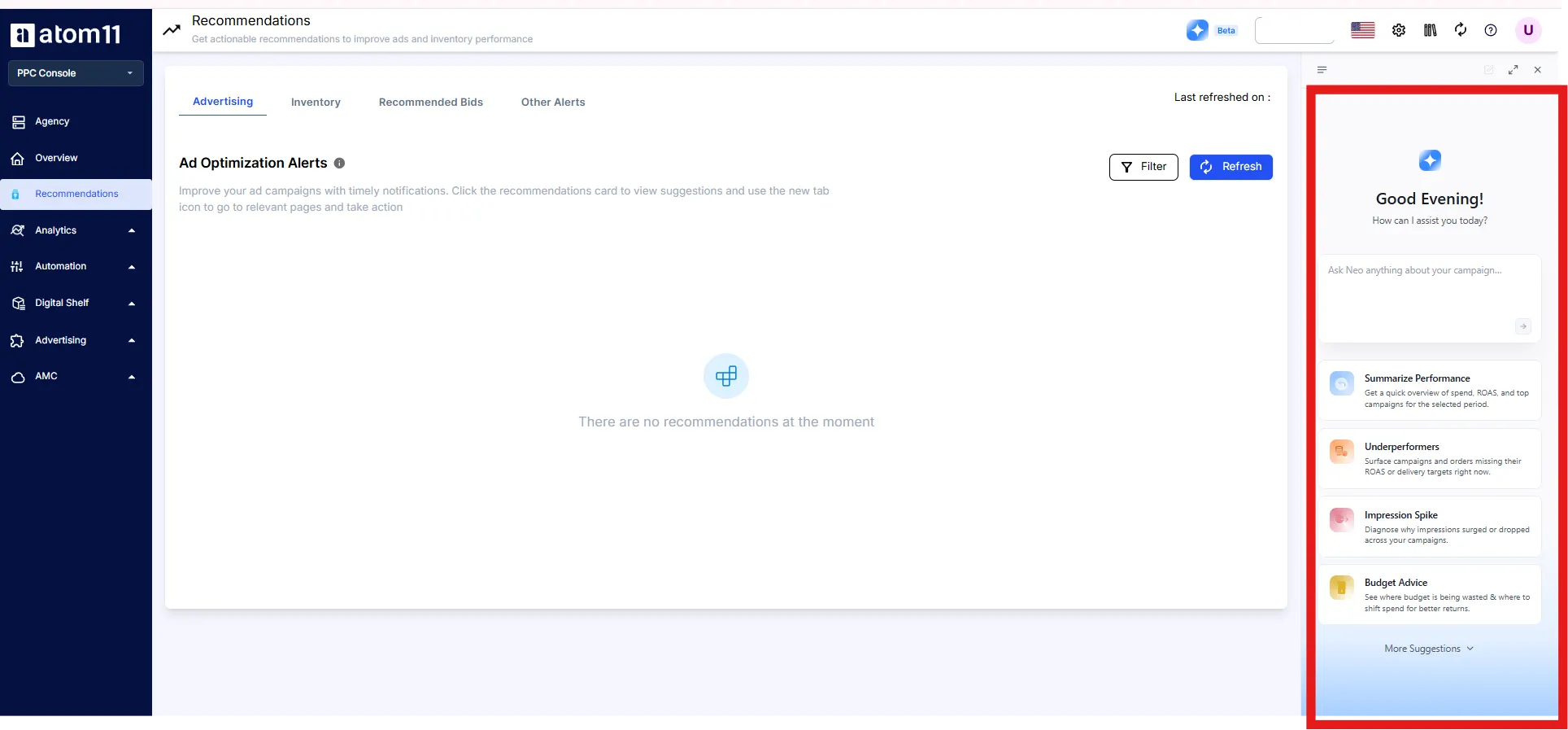
Multi account access. Agencies can manage several client accounts through the same connection.
Rules that stay in force. Automations such as the inventory optimizer, which pauses ads on low stock and resumes them after restock, run as rules you set, whatever an assistant suggests. Version control and the Performance Monitor give you a record and a way back.

Our guide to Atom11 MCP for sellers walks through the connection for Claude, and our comparison of AI and rule based PPC explains why limits belong in rules. PPC pricing is tiered by monthly ad spend, starting at $499 a month under $50K, with the lowest tier excluding Marketing Stream data and AMC. See the pricing page.
See your Amazon Ads data in your AI assistant. Book an Atom11 demo.
Conclusion
Connecting Amazon Ads to Microsoft Copilot is mostly a governance and fit exercise, with a short setup in the middle. Pick the right Copilot, choose an Amazon Ads MCP server that speaks Streamable HTTP and a supported sign-in method, write the server description as an instruction, switch off every write tool and test five prompts against your console before anyone relies on it. Do that, and Copilot becomes a useful place to ask about Amazon advertising inside the tools your team already uses. To see how Atom11 connects ad data, retail signals and AI assistants, book an Atom11 demo.
FAQs
Can Microsoft Copilot connect to Amazon Ads?
Yes, through MCP. Copilot Studio and Microsoft 365 Copilot agents can use a remote MCP server, so any server that exposes Amazon Ads data and meets Copilot’s requirements can be attached to an agent.
Does Microsoft Copilot support MCP?
Yes. Copilot Studio supports MCP tools and resources, and Microsoft 365 Copilot declarative agents can use an MCP server as a plugin. Copilot Studio requires Streamable HTTP and generative orchestration.
Do I need Copilot Studio to connect Amazon Ads?
For the low code route, yes. The alternative is a declarative agent built in Visual Studio Code with the Microsoft 365 Agents Toolkit, which suits a developer.
Can I use the free Copilot app to connect Amazon Ads?
We could not find a documented way to add a custom MCP server to the consumer Copilot app. Use Copilot Studio or a Microsoft 365 agent with a work account.
Does the Amazon Ads MCP server work with Copilot Studio?
It may, but Amazon’s server is in open beta for partners with API credentials, and the authentication details are not documented on the pages we could read. Most advertisers connect through a platform that already holds that access.
