Blog
/
Amazon AMS (Advertising Console) for Vendor Central: Getting Started in 2026
Amazon AMS (Advertising Console) for Vendor Central: Getting Started in 2026
Kajal Sharma

KEY TAKEAWAYS
AMS is the old name. Amazon’s current term is Amazon Ads. Since September 29, 2026, sponsored ads and programmatic buying sit together in Amazon Ads Agent.
Vendors register with Vendor Central. Amazon says that if you manage your products in Vendor Central or Advantage Central, you are a vendor, and registration uses that account.
Three ad products are the starting point. Amazon’s vendor guide lists Sponsored Products, Sponsored Brands and Stores, and Stores are free.
Payment has a vendor option. Deduct from Payment takes ad costs from your Amazon retail proceeds, but it is not available to third parties who manage payments for clients.
Your break even ACOS is lower than a seller’s. In our worked example, a vendor earning a 23.5% net margin on retail price breaks even at a 23.5% ACOS.
Quick answer: Amazon Marketing Services, or AMS, is the older name for what is now simply Amazon Ads, and on September 29, 2026 Amazon moved its ad console into a combined platform called Amazon Ads Agent. If you manage products in Vendor Central, you are a vendor, and you register for advertising with your Vendor Central account, choose an ad type, set a bid and a budget, and launch. The steps are short. The parts that trip vendors up are payment, stock and the fact that your reports show sales at the shopper’s price, not the wholesale price you actually earn.
Amazon’s console and its help pages are changing as the Amazon Ads Agent rollout continues, so confirm details in your own account before you commit a budget.
What Is Amazon AMS, and What Is the Vendor Advertising Console Called Now?
AMS is the legacy name for Amazon’s self service advertising, and most vendors now just say Amazon Ads or the ad console. Since September 29, 2026, the console has been folded into Amazon Ads Agent, a single platform that brings sponsored ads, Display, Video, Audio and the new DVA+ campaigns together.
Three practical points follow from the rename:
You will still see old names everywhere. Guides, agencies and tools still say “AMS,” “Advertising Console,” “Campaign Manager” and “Amazon DSP.” They all point to the same account family.
Nothing breaks for existing advertisers. Amazon’s FAQ says existing campaigns, settings, audiences, creatives and reporting carry forward, and that logins, account structure and team permissions stay the same.
Programmatic is covered separately. Our guide to DVA, DVA+ and Full Funnel Campaigns explains what replaced Amazon DSP. This article stays on getting started with the console itself.
Who Can Advertise as a Vendor on Amazon, and Which Ad Types Are Open?
Anyone who manages products in Vendor Central or Advantage Central can advertise, but each ad type has its own vendor conditions. Amazon’s FAQ defines a vendor as a business that sells items directly to Amazon, which then sells them to customers, and sets the conditions below.
Ad type | Who qualifies as a vendor, according to Amazon |
|---|---|
Sponsored Products | Hardlines, softlines, media, books or consumables vendors, and Supplier Express vendors with a confirmed purchase order or direct fulfillment order. The listing must also be eligible for the Featured Offer. |
Sponsored Brands | Hardlines, softlines, media, books and consumables vendors, excluding Pantry and Fresh. |
Stores | Vendors can create a Brand Store without enrolling in Brand Registry. Amazon describes Stores as free. |
Display that targets interests, products or categories | Vendors must customize the logo or headline. |
Two rules in that table matter in practice. The Featured Offer condition means a Sponsored Products ad can only run on an ASIN that Amazon is willing to show as the main offer, so a listing that keeps losing it will not give you impressions. And Amazon says vendor applications can be rejected, with an email stating the reason and next steps, so keep the account contact email current.
Amazon lists vendor advertising in these marketplaces: Australia, Canada, France, Germany, Italy, Japan, Spain, the United Arab Emirates, the United Kingdom, the United States, Saudi Arabia, the Netherlands, Mexico, Brazil and India. For a broader comparison of the two account models, see our guide to Seller Central vs Vendor Central.
How Do You Register for the Amazon Advertising Console With a Vendor Central Account?
You register using your Vendor Central or Advantage Central account, then choose an ad type and the products to advertise. Amazon’s vendor advertising guide gives four steps, shown in Figure 1.

Four step path for a vendor to start advertising: register with a Vendor Central account, choose ad type and products, set bid and budget, launch
Figure 1: Amazon’s four step path from Vendor Central account to a live campaign.
Register with your Vendor Central or Advantage Central account. On the registration page, select your country, choose whether you advertise products sold on Amazon, and pick the account type.
Choose an ad type and the products to advertise. Start with Sponsored Products unless you have a reason not to. Amazon’s getting started guide recommends it for new advertisers.
Set your bid per click and your budget. You can change the daily budget at any time, even while campaigns are running.
Launch the campaign. In Amazon Ads Agent, open the advertising tab and select Create campaign.
If you do not have your account details, Amazon’s FAQ says to contact an Amazon Ads account executive, and a password reset is available through “Forgot your password?” on the sign in page.
One thing Amazon does not publish: the exact menu path from inside Vendor Central to the console has changed over the years, and we could not confirm the current one from Amazon’s own pages. Use the registration link in Amazon’s vendor guide, or ask your vendor manager, rather than relying on an older screenshot.
Which Amazon Ad Types Should a Vendor Start With?
Start with Sponsored Products, add Sponsored Brands once you have a Store and proven keywords, and treat Display and programmatic as later steps. The table sets out what each product does, so you can sequence them.
Ad type | What it does | Billing model | Good first use for a vendor |
|---|---|---|---|
Sponsored Products | Promotes individual listings in search results and on product pages, using keyword or product targeting | Cost per click | Defend and grow your best sellers, starting with automatic targeting |
Sponsored Brands | Shows your logo, a custom headline and chosen products, and sends shoppers to a Store or landing page | Cost per click | Own your brand terms and launch new items once a Store exists |
Stores | A free multi page destination for your brand | Free | Give Sponsored Brands somewhere good to land |
Display and Video | Reach shoppers on and off Amazon | Cost per click for self service Display | Retargeting and awareness after search ads are working |
The order matters for budget. Search ads capture shoppers who are already looking, so they usually show you quickly whether a listing converts. Our overview of the types of Amazon ads covers each format in more depth.
How Do Vendors Pay for Amazon Ads: Deduct From Payment, Credit Card or Invoice?
Vendors can pay by credit card or by Deduct from Payment (DFP), which takes ad costs out of your Amazon retail proceeds, and Amazon says you can switch methods at any time. Invoicing exists too, but Amazon’s FAQ says vendors who want invoicing must be invited.
Payment method | How it works | Limits Amazon states |
|---|---|---|
Deduct from Payment | Ad costs come out of Amazon retail proceeds, with no separate advertising budget | Not available to third parties who manage payments for clients, or to accounts with no retail activity in the last 6 months |
Credit card | Personal or corporate cards are accepted | Credit limits start at $50 and rise to $150, $200, $350 and $500 after successful payments |
Invoice | Billed on invoice terms | Vendors must be invited |
Amazon’s FAQ says credit card charges occur when your first $1.00 of clicks accrues, when clicks reach your credit limit, and on the third day of each month for any prior balance.
What this means for agencies. If an agency manages your ads and pays on your behalf, DFP is off the table. Decide before launch whether you will pay by card or invoice, so you do not discover the restriction in week three.
What Amazon has not said: whether any cooperative advertising or marketing allowance in your vendor terms can fund these ads. We could not find a published answer, so treat any claim that it can as unverified until your vendor manager confirms it for your agreement.
What Should a Vendor Check Before Launching the First Campaign?
Check the ASIN, not just the account: an ad pointed at a listing that cannot win the Featured Offer, is about to run out of stock or has weak content will burn budget without telling you why. This is the screen we suggest running on every ASIN before it gets a bid.

Five checks to run on a vendor ASIN before launch: Featured Offer, weeks of cover, content, price and Store landing page
Figure 2: Five checks to run on each ASIN before it gets a bid.
Featured Offer. Amazon requires listings to be eligible for it for Sponsored Products. Spot check the detail page while logged out.
Weeks of cover. Work out weeks of cover as sellable units on hand divided by forecast units per week. If the ad will lift demand, divide by the lifted weekly figure instead. As a vendor you cannot always restock quickly, because Amazon issues the purchase orders.
Content. Titles, bullets, images and A+ content should be finished before you pay for clicks.
Price. Amazon sets the retail price for vendors. If the price is above competing offers, expect a lower conversion rate.
Landing page. For Sponsored Brands, send traffic to a finished Store, not a bare product grid.
A worked example (illustrative). You have 4,800 sellable units and a forecast of 1,500 units a week. Cover is 4,800 ÷ 1,500 = 3.2 weeks. If ads lift weekly demand by 20% to 1,800, cover drops to 4,800 ÷ 1,800 = 2.7 weeks. If the next purchase order lands in week 4, the product runs out more than a week early. Hold back budget on that ASIN, or shorten the campaign. Our guide to Amazon DSP for vendors uses the same logic for programmatic flights.
How Do You Set Up the First Sponsored Products Campaign as a Vendor?
Create one campaign with a handful of your strongest ASINs, use automatic targeting, set a modest daily budget and run it without an end date. That is also how Amazon’s own getting started guide sets up a first campaign.
Open Create campaign. In Amazon Ads Agent, open the advertising tab and select Create campaign.
Pick the products. Choose ASINs that pass the five checks above.
Name the campaign so you can find it later. Use a naming convention from day one.
Set the daily budget. See the minimums note below.
Choose the duration. Amazon recommends no end date.
Choose automatic targeting. Amazon recommends it for a first Sponsored Products campaign. Review the search term report after the first two weeks and move proven terms into manual campaigns.
A note on minimum budgets. Amazon’s pages do not agree. Its FAQ gives a minimum daily budget of $1.00 for Sponsored Products, while its getting started guide lists $10 for the United States and Canada. Amazon’s vendor guide states no minimum at all. Amazon’s campaign creation screen is the final word, so check it when you set the budget.
What Budget and ACOS Target Should a Vendor Use?
Set your ACOS target from your net margin as a share of the retail price, then size the test budget from the clicks you need, not from a round number. Vendors earn the wholesale price, but reports show sales at the shopper’s price, so your break even ACOS is lower than a seller’s.
The formula:
Net margin per unit = Wholesale price minus Cost of goods minus Allowances
Break even ACOS = Net margin per unit ÷ Retail price

Bar chart splitting a 40 dollar retail price into wholesale cost items and showing a vendor margin of 9.40 dollars, ad cost of 6.00 dollars at 15 percent ACOS, and 3.40 dollars left
Figure 3: Illustrative vendor margin at a 15% ACOS on a $40 product.
Worked example (illustrative, consistent with our other vendor guides). A product retails for $40. Amazon pays you $26 wholesale. Cost of goods is $14. Allowances take 10% of the invoice, which is $2.60.
Net margin per unit = $26 minus $14 minus $2.60 = $9.40.
Break even ACOS = $9.40 ÷ $40 = 23.5%.
At a 15% ACOS, ad cost per sale is $40 × 15% = $6.00, leaving $3.40 of margin per unit.
Sizing the test (illustrative). A keyword that converts at 10% still has a 12% chance of showing zero orders after 20 clicks, and a 35% chance after only 10, so judging on a handful of clicks wrongly stops good keywords. If your average CPC is $1.20, 20 clicks cost $24 per ASIN. Ten ASINs need about $240 to reach 20 clicks each.
When to read the result. Amazon says a sale is attributed to a campaign when a shopper clicks an ad and buys within 14 days. Wait at least that long before judging a launch, and treat the most recent days as provisional, because attributed sales keep changing.
How Does Vendor Reporting Differ in the Advertising Console?
Console reports show ad attributed sales at the shopper’s price, which is not what you earn as a vendor, so judge performance against your own margin, not the dashboard’s ACOS alone. Three habits keep the numbers honest.
Convert ACOS into profit. Compare each ACOS with your break even ACOS from the formula above.
Do not compare the console with vendor sales reports directly. Vendor Central reports describe what you sold to Amazon, while ad reports describe shopper orders. Ask which sales view any report uses before you compare.
Use new to brand metrics. Amazon lists new to brand metrics and suggested keywords among the tools for vendor advertisers. They show whether spend is finding new shoppers or paying to reach existing ones.
How Do You Give an Agency or Software Tool Access to Vendor Advertising?
You grant Vendor Central access and advertising access separately, and both must be set up before an agency or tool can manage campaigns. Vendor Central user permissions are normally managed from the account’s settings, with an Admin role that can send invitations and a Contributor role limited to the areas you select. Check the current screen in your own account, because Amazon changes these menus.
Keep four points in mind:
Use the narrowest role that works. Give read access for reporting and add more only when needed.
Keep one named owner. Agency access for vendors has historically needed approval from the Vendor Central account holder, so keep that contact current.
Remember the payment limit. Deduct from Payment is not available to third parties who manage payments for clients.
Ask about data handling. Your wholesale terms and allowances are commercially sensitive. Our Vendor Central MCP guide covers governed, read only access for AI tools.
What Mistakes Slow Vendors Down in the First 90 Days?
Most early losses come from five avoidable mistakes, and each has a simple fix. This table is based on the account setup rules above and on the vendor economics in this guide.
Mistake | Why it hurts | Fix |
|---|---|---|
Judging ACOS against a seller’s benchmark | A vendor’s margin per retail dollar is lower, so a “fine” ACOS can lose money | Calculate break even ACOS from net margin before setting targets |
Advertising low stock ASINs | Demand outruns the next purchase order | Check weeks of cover at the lifted demand |
Pausing keywords after a few clicks | A good keyword can show zero orders by luck | Wait for around 20 clicks before cutting |
Choosing Deduct from Payment, then adding an agency that pays for you | DFP is not available to third parties managing payments | Pick card or invoice before the agency starts |
Reading results before the attribution window closes | Sales keep arriving for 14 days | Read launches no earlier than day 15 |
How Does Atom11 Help Vendors Manage Ads After Setup?
Once the console is live, the work shifts from setup to ongoing control, and that is where stock and margin awareness matter most for a vendor. Atom11 is an Amazon Ads Partner platform built for sellers, vendors and agencies.
Vendor Central support. Atom11 supports ad accounts registered through Vendor Central or Advantage Central, with Sponsored Products and Sponsored Brands for vendors, and it can hold cost of goods per ASIN. It does not hold your coop rate.

Retail aware rules. Automations can use inventory, price, Buy Box and organic rank alongside ad metrics, so spend can slow when stock is short.
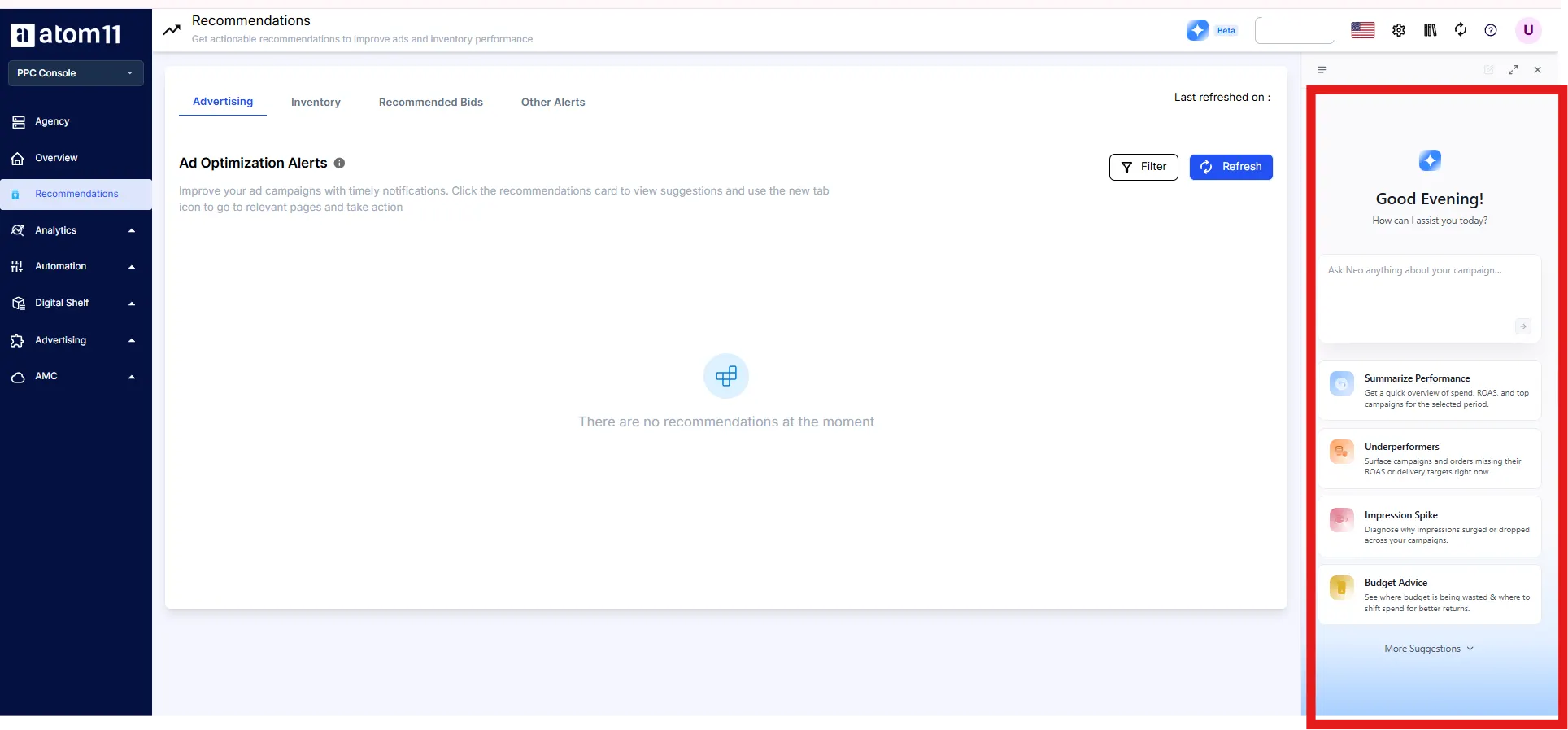
Atom11 MCP and Neo. The MCP gives AI assistants such as Claude governed access to ad accounts and retail signals, and Neo compares periods across more than 15 ad and retail signals to explain why sales or ACOS moved.
Version control. Save bids and budgets before big events and roll back afterward.
Pricing. Atom11 PPC pricing is tiered by monthly ad spend and starts at $499 a month under $50K, with the lowest tier excluding Marketing Stream data and AMC. See the pricing page for current inclusions.
Want ad automation that respects your stock and your margin? Book an Atom11 demo.
Conclusion
For a vendor, getting started on Amazon’s advertising console is quick: register with your Vendor Central account, pick an ad type, set a bid and a budget, and launch. Since September 29, 2026 that console lives inside Amazon Ads Agent, but the registration steps, payment options and eligibility rules above still apply.
What decides results is what happens before and after those four steps. Screen each ASIN for Featured Offer eligibility, stock cover, content and price, set your ACOS target from your own net margin, and wait out the 14 day attribution window before reading a launch. A vendor who does those three things will read the dashboard far more honestly than one who copies a seller’s benchmarks.

FAQs
What is Amazon AMS for Vendor Central?
Amazon Marketing Services, or AMS, is the older name for Amazon’s self service advertising, which is now called Amazon Ads. Vendors register with their Vendor Central or Advantage Central account and can run Sponsored Products, Sponsored Brands and Stores.
Is AMS the same as the Amazon Advertising Console?
Yes, the terms refer to the same advertising account family. Since September 29, 2026, Amazon has combined its ad console and Amazon DSP into one platform called Amazon Ads Agent, and Amazon says existing campaigns, logins and team permissions carry forward.
Do I need Brand Registry to advertise as a vendor?
No. Amazon says vendors can create a Brand Store without enrolling in Brand Registry, and vendors register for advertising using their Vendor Central or Advantage Central account.
How do vendors pay for Amazon ads?
Vendors can pay by credit card or by Deduct from Payment, which takes ad costs from Amazon retail proceeds. Deduct from Payment is not available to third parties who manage payments for clients, or to accounts with no retail activity in the last 6 months, and vendors who want invoicing must be invited.
What is the minimum budget for Amazon ads as a vendor?
Amazon’s pages give different figures. Its FAQ lists a minimum daily budget of $1.00 for Sponsored Products, while its getting started guide lists $10 for the United States and Canada, so check the campaign creation screen in your own account.
