Blog
/
Amazon MCP for Ecommerce Teams: Ads, Stock and Profit
Amazon MCP for Ecommerce Teams: Ads, Stock and Profit
Deepika Thakur

Amazon MCP for ecommerce teams means connecting an AI assistant such as Claude or ChatGPT to your Amazon advertising, inventory and financial data through the Model Context Protocol, so one question can pull from all three. The value is not faster ad reports. It is that the person who owns profit, the person who owns stock and the person who owns ads can finally ask questions of the same live data, in the right order, without waiting for a spreadsheet.
Most guides to Amazon MCP stop at a list of prompts. This one gives you a decision order (profit first, stock second, ads third), the formulas behind each workflow, worked examples you can copy, and the checks to run before you act on an AI answer. If you are new to the protocol itself, start with our Amazon MCP guide.
Key Takeaways
Ads, inventory and profit sit in different Amazon systems. MCP is useful for ecommerce teams because it lets one assistant read all three together.
Decide in this order: profit gate, stock gate, then ad action. An ad change that ignores margin or stock is a guess.
A stockout can happen even with ads switched off. Check organic units before you blame (or pause) ads.
Profit answers are only as good as your product cost data. If the server has no cost of goods, any “profit” it reports is really revenue minus fees.
Different data refreshes at different speeds. Ask your assistant to state the freshness of every number it uses.
Start read only. Give an agent write access only inside hard limits and with a change log.
What Amazon MCP Means for an Ecommerce Team
Amazon’s own Ads MCP server, announced on February 2, 2026, turns natural language prompts into Amazon Ads API calls and is in open beta for Amazon Ads partners with active API credentials. That is the advertising half. An ecommerce team also needs the selling half: orders, fees, inventory and listing health from the Selling Partner API, plus whatever you track for product cost.
Different MCP servers cover different slices. Some read only advertising data. Some read only seller data. A few combine both. Our guide to Amazon Seller MCP and SP API covers the seller side, and Amazon MCP with Claude covers connecting and prompting. This article is about what a whole team does once the data is connected.
The Three Ledger Model: Profit, Stock, Ads
We find it easiest to think of an Amazon business as three ledgers that must agree before anyone spends money.
Ledger | Question it answers | Gate |
|---|---|---|
Profit | Does this ASIN make money after every cost, and how much room is there for ads? | Profit gate: break even ACOS and ad adjusted margin |
Stock | Can we fulfill the demand we are about to buy? | Stock gate: days of cover against replenishment lead time |
Ads | Where is spend working or wasting? | Action: bids, budgets, negatives, pauses |
The order matters. Most AI prompts start at the ads ledger, because that is where the data is easiest to reach. But the ads ledger cannot tell you that a winning campaign sells a product at a loss, or that it is advertising a product with nine days of stock. Run the profit and stock gates first and the ad decisions become obvious.
The gate in one line
For any ASIN, an ad increase is allowed only if (1) contribution margin leaves room above the current ACOS and (2) days of cover exceeds replenishment lead time plus a safety buffer. The two formulas are in the workflows below. Ask your assistant to apply the gate every time it suggests raising spend.

Flow diagram of the profit gate, stock gate and ad action decision order for Amazon ASINs
Figure 1: The decision order for any ad increase.
What Data an Ecommerce Team Needs Connected
Before you write a single prompt, map the sources. The assistant is only as honest as the least fresh number it combines.
Source | What it answers | Refresh to expect | Common gotcha |
|---|---|---|---|
Amazon Ads API and Marketing Stream | Spend, clicks, orders, ACOS by campaign and keyword | Hourly near real time for Marketing Stream metrics, slower for standard reports | Conversions are attributed over a 14 day window, so recent days look worse than they will |
Selling Partner API, orders and sales | Units, revenue, organic share | Frequent, but recent sales can be estimates | Order counts and ad attributed counts will not match exactly |
Selling Partner API, inventory | Units available, inbound, stranded stock | Updates a few times a day on most setups | Ask whether inbound units are counted in days of cover |
Finance data | Fees, returns, reimbursements | Posts after the sale and settlement, so recent profit is an estimate | Margins for the last few days are provisional |
Your own cost data | Cost of goods, landed cost, inbound freight | Only as current as you keep it | If it is missing, every profit number is wrong in the same direction |
Two practical rules follow. First, tell the assistant to label any number from the last 14 days as provisional. Second, never accept a profit figure until you have confirmed that cost of goods is loaded for that SKU. Our Amazon KPI guide and guide to Amazon analytics software cover which metrics to track once the data is flowing.
Profit Workflows
Workflow 1: The ad adjusted margin audit
Trigger: weekly, or whenever TACOS moves more than two points.
Formulas:
Contribution margin % = (Price minus cost of goods minus Amazon fees minus returns and other variable costs) ÷ Price
Break even ACOS = Contribution margin %
Ad adjusted margin per unit = Contribution per unit minus ad spend per unit
Profit per ad order = Order value × (Contribution margin % minus ACOS)
Worked example. A product sells for $40. Cost of goods is $12, referral and fulfillment fees are $13, and returns and other costs add $1. Contribution is $14 per unit, or 35%, so break even ACOS is 35%. If TACOS is 12%, ad spend per unit is $4.80, which leaves an ad adjusted profit of $9.20 per unit, or 23%. A campaign running at 30% ACOS earns $40 × (0.35 minus 0.30) = $2.00 per ad order. The same campaign at 38% ACOS loses $1.20 per order, even though it looks fine on a typical ACOS target of 40%.

Waterfall chart showing a $40 Amazon sale reduced by cost of goods, fees, returns and ad spend to $9.20 ad adjusted profit
Figure 2: Contribution margin and ad adjusted profit for a $40 product.
Prompt:
“For my top 20 ASINs by revenue over the last 30 days, calculate contribution margin using cost of goods, fees and returns, then ad adjusted margin using total ad spend. Exclude the last 14 days of ad attributed sales from ACOS and show them separately. Flag any ASIN where ad adjusted margin is under 10%, and tell me which ASINs are missing cost of goods.”
What to verify: the cost of goods column is populated, and three SKUs match what finance shows. Our guide to TACOS and ACOS explains why both numbers belong in the same review, and our ACOS benchmark guide helps you set the target from your margin instead of an industry average.
Workflow 2: Find the ASINs that sell well and earn nothing
Revenue rankings hide the products that quietly lose money. Ask the assistant to rank ASINs by ad adjusted profit in dollars, not by sales. The top of that list is where to protect budget. The bottom is where to cut bids, fix price or fix cost, in that order.
Prompt: “Rank all ASINs by ad adjusted profit in dollars last month. For the bottom 10, show price, contribution margin, ACOS and TACOS, and say whether the cause is price, fees, returns or ad spend.”
Inventory Workflows
Workflow 3: The stockout shield
Most stockout advice says to watch days of cover. The extra step is to compare it to your replenishment lead time and ask how many units per day you can afford to sell until the next shipment lands.
Formulas:
Days of cover = Units available ÷ Average daily units sold
Units you can sell per day until restock = Units available ÷ Days until restock
Ad unit allowance per day = Units you can sell per day minus organic units per day
Daily ad budget cap = Ad unit allowance × Expected cost per order
Healthy example. You have 900 units, restock lands in 30 days and organic sales run at 15 units a day. You can sell 900 ÷ 30 = 30 units a day. The ad unit allowance is 30 minus 15 = 15 units. If your expected cost per order is $8, cap the daily ad budget for this ASIN at 15 × $8 = $120.
Crisis example. You have 600 units, restock is 30 days away, and you sell 40 a day: 22 organic and 18 from ads. Days of cover is 15. You can sell 600 ÷ 30 = 20 units a day, but organic sales alone are 22. The ad unit allowance is negative (20 minus 22 equals minus 2). Pausing ads is not enough. Even with zero ad spend you run out roughly 2.7 days before the shipment arrives (600 ÷ 22 is about 27.3 days of stock against 30 days of lead time). The next moves are a modest price test to slow organic sales, an expedited inbound, or both. No ad rule can fix that, which is why the stock gate comes before the ad action.

Line chart of 600 units depleting over 30 days, with stockout on day 15 with ads on and day 27.3 with ads off, before the day 30 restock
Figure 3: Even with ads paused, this ASIN runs out 2.7 days before restock.
Prompt:
“For every ASIN with fewer days of cover than its replenishment lead time plus 7 days, show units available, inbound units, average daily sales split into organic and ad driven, days until the next shipment lands, and the maximum ad driven units per day I can afford. List which ones are already negative even with ads off.”
The pattern is the same one we recommend in our Amazon DSP MCP guide, where a budget increase to a product that is about to stock out is the most expensive mistake an agent can make.
Workflow 4: Buy Box and listing health before spend
Ask the assistant for ASINs that have lost the Buy Box, are suppressed, or have a price change in the last 7 days, and cross reference them with campaigns still spending. A suppressed or Buy Box lost listing turns ad clicks into zero orders. Our guide to Amazon seller mistakes to avoid lists the listing issues worth checking weekly.
Ads Workflows
Workflow 5: Wasted spend with a click threshold you can defend
Most “negate terms with spend and no orders” prompts use a round number such as $20 or 15 clicks. A better rule ties the threshold to the conversion rate.
Formula: Click threshold = 3 ÷ conversion rate
At a 10% conversion rate, the threshold is 30 clicks. The reason is simple: if a term truly converts at 10%, the chance of seeing zero orders in 30 clicks is about 4%. Below the threshold, zero orders is common bad luck.
Clicks with zero orders | Chance this happens by luck at a 10% conversion rate |
|---|---|
10 | 35% |
15 | 21% |
20 | 12% |
30 | 4% |

Bar chart of the chance of zero orders by luck after 10, 15, 20 and 30 clicks at a 10% conversion rate
Figure 4: Why the click threshold is 3 divided by the conversion rate.
Prompt:
“For my auto campaigns in the last 30 days, list search terms with zero orders and more clicks than 3 divided by the campaign’s conversion rate. Show spend, clicks and the threshold used for each campaign. Do not include any term that already has an order in the last 60 days.”
For the full method, see our guides to search term negation and the seller search term report.
Workflow 6: Make ad budgets follow stock and margin
Combine the two gates. Ask the assistant for a ranked list of ASINs where ad adjusted margin is above 10%, days of cover is above the threshold and the daily ad budget cap from the stock formula is higher than the current budget. Those are the places budget can safely go up. The opposite list, where margin is thin or stock is short, is where budget should come down.
Putting It Together: A 45 Minute Weekly Loop
Step | Minutes | Question | Owner |
|---|---|---|---|
1. Profit gate | 15 | Which ASINs fell below the ad adjusted margin floor? | Finance or brand lead |
2. Stock gate | 15 | Which ASINs have a negative ad unit allowance or less cover than lead time? | Inventory planner |
3. Ad action | 15 | Given the first two lists, which budgets and bids change, and which terms get negated? | PPC manager |

Diagram of the 45 minute weekly loop: profit gate, stock gate, then ad action
Figure 5: The 45 minute weekly loop.
The sequence matters more than the clock. The first two steps produce the exclusion list, and the third step works only on ASINs that passed both gates. This is also how an agent should run the loop on its own: profit, then stock, then ads, never the reverse.
Who Owns What: Roles and Prompts
Amazon MCP works best when each person asks the questions they are accountable for, not when everyone asks for a general dashboard.
Role | Core question | First prompt to try |
|---|---|---|
Brand or ecommerce lead | Are we making money, and where do we invest? | Ad adjusted profit by ASIN, last 30 days, ranked |
Inventory planner | What will run out before the next shipment? | Days of cover against lead time and ad unit allowance |
PPC manager | Where is spend wasted or underused? | Wasted spend using the click threshold, then budgets that follow stock |
Finance | Do ad and retail numbers reconcile? | Spend per unit and fees by SKU against settlement data |
Agency account lead | What changed across clients this week? | Weekly change summary per account, flagged by cause |
Five Checks Before You Act on an AI Answer
An assistant will present a wrong answer in the same confident tone as a right one. Run these checks first.
Is cost of goods loaded? Ask directly. If not, treat profit as unknown.
What date range and freshness did it use? Make it state both, and label the last 14 days provisional.
Which marketplace and currency? Multi account and multi marketplace setups mix these easily.
Can it show its working? For any total, ask for the rows behind it and spot check three against Seller Central or the Ads console.
Is it advising a write? If yes, ask for current and proposed values side by side and apply the stock and profit gates before approving.
What to Automate and What to Keep Human
Not every workflow belongs to an agent. Analysis and drafting are strong fits. Writes to budgets, bids and pricing need limits.
Safe to automate with review: weekly profit audit, stockout list, wasted spend list, change summaries.
Automate with caps: pausing ads for low stock, small bid and budget steps inside a stated range.
Keep human: pricing changes, listing edits, new campaign strategy and anything that spends against a promotion.
For a staged approach to write access, see the write access ladder in our Amazon DSP MCP guide, and our comparison of AI and rule based automation for who should own each decision. The short version: AI for analysis, rules for limits.
How to Choose an Amazon MCP Setup
You have three realistic routes: Amazon’s official server, a vendor hosted server, or a platform that includes MCP. Ask each the same questions.
Which data sources are included: ads, seller data, finance, inventory?
Can it use my product cost data, and how is it kept current?
How fresh is each source, and does the server label provisional data?
What can it write, what confirmation is required, and where are changes logged?
Does it cover multiple accounts and marketplaces, and how is access revoked?
What do I pay beyond the connection itself?
If a server cannot answer the write and logging questions clearly, keep it read only.
How Atom11 Helps Ecommerce Teams Run These Workflows
Atom11 was built around the idea that ad decisions should see retail data, which is exactly what the three ledger model needs. Here is how it maps to each workflow.
Connect everyone to the same live data
The Atom11 MCP gives AI assistants such as Claude, ChatGPT and Cursor governed access to your ad accounts, retail signals and the logic behind Neo, Atom11’s AI analyst. Setup takes about five minutes with no terminal and no data pipeline, and answers reflect the account at the moment you ask. Brands can see data across several brands in one place, and agencies can manage multiple client accounts through the same connection. See also our write-up on using Atom11 MCP with Claude.
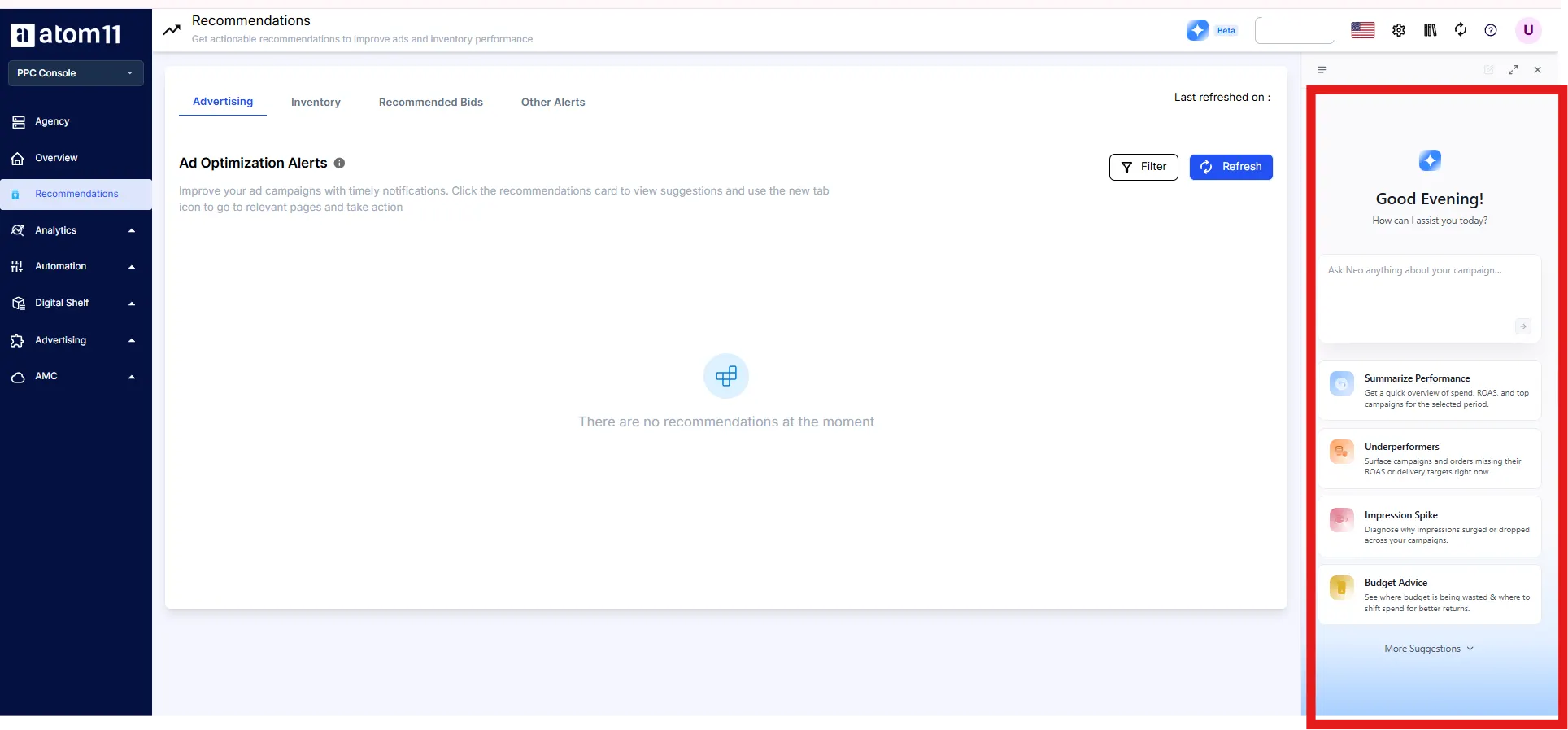
Explain why numbers moved
Neo compares periods across more than 15 ad and retail signals to explain why sales or ACOS changed. That turns the question “why did profit drop last week?” into one answer that mentions price, Buy Box, stock and ad spend together, instead of four tabs. In one account we have seen, a household products brand’s top products fell 29% in sales while ad spend rose 70%. Neo traced the cause to a retail signal outside the ad account, and the brand then grew sales by 200%.
Enforce the stock and profit gates with rules
Atom11 automations run on rules you set, and those rules can use inventory, price, Buy Box and organic rank alongside ad metrics. The inventory optimizer pauses ads when stock runs low and resumes them after replenishment, which is the stock gate running automatically. Budget rules, a bid optimizer, search term harvesting and negation, a search rank optimizer, portfolio budget rules and a placement optimizer cover the ad action step. Dayparting schedules bids and budgets by hour and day on Amazon Marketing Stream data.

Keep a record and a way back
Version control saves bids and budgets so you can roll back after Prime Day or Black Friday. The Performance Monitor shows a before and after record of what each automation changed, so you can tell whether it helped. That is the change log and rollback path that any write access needs.

Scale across accounts and formats
Bulk actions create campaigns, add keywords and negations, and manage audiences across many campaigns at once. The Amazon DSP module adds bulk orders, cross order pacing and frequency caps per audience, and the dashboard shows ads, retail and pricing data side by side, with exports to Power BI, Google Sheets and Looker. Our guide to multi account Amazon PPC management covers the agency setup in detail.
How the workflows map to Atom11
Workflow in this guide | How Atom11 supports it |
|---|---|
Ad adjusted margin audit | Neo and the MCP, with ad and retail data in one place |
Stockout shield | Inventory optimizer pauses ads on low stock and resumes after restock |
Buy Box and listing checks | Retail signals such as Buy Box and price feed rules and analysis |
Wasted spend | Search term negation and harvesting automations |
Budgets that follow stock and margin | Budget rules and portfolio budget rules using retail signals |
Record and rollback | Version control and Performance Monitor |
Multi account review | Agency and multi account management in one workspace |
Pricing
Atom11 PPC pricing is tiered by monthly ad spend, starting at $499 a month under $50K, with the lowest tier excluding Marketing Stream data and AMC. See the pricing page for current inclusions, and compare options in our roundup of Amazon PPC software.
See your own ads, inventory and profit in one conversation. Book an Atom11 demo.
Conclusion
Amazon MCP is most useful to ecommerce teams when it enforces an order of thinking: profit first, stock second, ads third. The assistant does the retrieval and the arithmetic. The team supplies the gates, the thresholds and the judgment. Connect the data, load your product costs, run the weekly loop in read only mode, and add controlled writes only when the answers have earned trust.
The teams that gain the most are not the ones that ask the cleverest prompts. They are the ones that stop advertising products they cannot afford to sell or cannot afford to stock, and notice it before the invoice does.

FAQs
What can an ecommerce team do with Amazon MCP?
The best uses combine data sources: an ad adjusted profit audit, a stockout list that compares cover with lead time, a wasted spend review and a weekly change summary. These work because the assistant reads advertising, inventory and financial data together instead of one report at a time.
Can Amazon MCP manage inventory?
Most servers read inventory and flag risk, such as low days of cover or stranded stock. Few change inventory directly, and many keep stock and pricing changes in Seller Central. Treat inventory as an analysis workflow first, and let it influence ad rules, such as pausing ads when stock runs low.
Can Claude calculate Amazon profit accurately?
Only when the connected data includes cost of goods, fees and returns. Without product cost, the answer is revenue minus fees, which is not profit. Recent days are also provisional because fees and returns post after the sale.
Is Amazon MCP only for advertising?
No. Amazon’s official server is focused on Amazon Ads, but seller focused and platform servers add orders, inventory, fees and listing data. Check which sources your server covers before you promise your team a profit or inventory workflow.
What should I automate first?
Start with the weekly profit audit and stockout list, because they are read only and produce immediate savings. Add the wasted spend list next. Move to automated writes, such as pausing ads for low stock, only after those results prove reliable.
